Image Compressor
100% Client-Side PrivacyCompress JPG, PNG, WebP, GIF, SVG, AVIF, and HEIC images online while preserving quality. Reduce image size instantly for websites, email, government forms, social media, and more. Free, private, no signup.
Quick Features
- JPG Compressor — compress JPEG photos with adjustable quality from 1–100%
- PNG Compressor — reduce PNG size while preserving transparency support
- WebP Compressor — compress WebP images or convert any format to WebP
- GIF Compressor — optimize animated and static GIF files
- SVG Compressor — minify SVG code by removing unnecessary attributes
- HEIC Compressor — compress Apple HEIC photos or convert to JPG
- AVIF Compressor — compress next-gen AVIF images for maximum compression
- BMP, TIFF, ICO — support for legacy and specialized formats
How to use Image Compressor
Upload Image
Drag and drop or select any image — JPEG, PNG, WebP, GIF, BMP, TIFF, AVIF, HEIC, SVG, ICO. Supports images up to 100MB.
Adjust Settings
Set compression quality (1–100%), choose output format (JPEG, PNG, WebP, AVIF), optionally resize dimensions, and toggle metadata removal.
Preview Results
Compare before and after with exact file size, dimensions, and compression ratio. Adjust quality until you find the perfect balance.
Download
Download the compressed image individually or as a ZIP batch. Copy to clipboard or share directly.
Why choose this tool
- Completely free — no signup or hidden limits
- Runs 100% in your browser — your data stays private
- Instant results, no downloads or installs
- Works on any device with a modern browser
Common Use Cases
- Government applications and online forms with strict file size limits
- Passport and visa photo compression to 20KB–100KB
- School and university admission form uploads
- Job portal resume and profile photo uploads
- Website optimization for faster page loads and better SEO
- E-commerce product image compression for WooCommerce and Shopify
- Email attachment size reduction for large photo files
- Social media uploads — Instagram, Facebook, WhatsApp, Twitter, LinkedIn
- WordPress blog image optimization for faster page speed
- Photography portfolio compression for client delivery
- Storage space savings on phones, laptops, and cloud drives
- Batch processing hundreds of product images for online stores
Lossy vs Lossless Image Compression
Understanding the two main types of image compression helps you choose the right approach for your needs.
| Feature | Lossy Compression | Lossless Compression |
|---|---|---|
| How it works | Permanently removes some image data | Compresses data without removing any information |
| File size reduction | 60–90% (very aggressive) | 20–40% (moderate) |
| Quality impact | Some quality loss at extreme settings | No visible quality change |
| Best for | Web images, social media, email | Print, medical imaging, archival |
| Formats | JPEG, WebP, AVIF | PNG, WebP, SVG, GIF |
| Reversible | No — original data is lost | Yes — full quality restoration possible |
| Recommended quality | 70–85% for web, 85–95% for print | Lossless mode preserves all data |
Choosing the Right Image Format
Each image format has different strengths. Choose the right one based on your use case.
JPEG / JPG — Best for Photographs
JPEG is the most widely used format for photos and complex images with gradients. It offers excellent compression with adjustable quality. Use 70–85% quality for web and 85–95% for print. Ideal for: websites, social media, email attachments, e-commerce.
PNG — Best for Transparency & Graphics
PNG supports lossless compression and transparency (alpha channel). Use for logos, icons, screenshots, and graphics with sharp edges. Larger file sizes than JPEG. Ideal for: web graphics, logos, UI elements, images requiring transparency.
WebP — Best for Modern Web
WebP offers both lossy and lossless compression with 25–35% smaller files than JPEG/PNG. Supported by all modern browsers. Ideal for: website images, progressive web apps, CDN delivery.
AVIF — Best for Maximum Compression
AVIF is the newest format with the best compression ratios — up to 50% smaller than JPEG at equivalent quality. Growing browser support. Ideal for: next-gen websites, bandwidth-constrained environments.
GIF — Best for Short Animations
GIF supports animation and limited colors (256). Use for simple animations and memes. For static images, convert to PNG or WebP for better quality and smaller size.
SVG — Best for Vector Graphics
SVG is a vector format — infinitely scalable without quality loss. Ideal for logos, icons, illustrations, and charts. Compress by minifying the SVG code (removing comments, whitespace, metadata).
HEIC — Best for Apple Devices
HEIC is Apple's default photo format on iOS. Offers better compression than JPEG. Convert to JPG or WebP for universal compatibility before sharing or uploading.
BMP / TIFF — Uncompressed Formats
BMP and TIFF are uncompressed or minimally compressed formats with very large file sizes. Compress and convert to JPEG or WebP for web use. Keep TIFF for professional printing and archival.
Compression Levels Explained
Choose the right compression level based on your priority — quality, file size, or balance.
Light Compression (80–100% quality)
Minimal file size reduction (10–30%) with virtually no visible quality loss. Best for: professional photography, print-ready images, medical/scientific imaging, and situations where quality is paramount.
Balanced Compression (60–80% quality)
Good file size reduction (40–70%) with acceptable quality for most use cases. Best for: website images, blog posts, social media, email attachments, and general-purpose use. This is the sweet spot for most users.
Maximum Compression (1–50% quality)
Aggressive file size reduction (70–95%) with noticeable quality loss. Best for: government forms with strict size limits (20KB–50KB), thumbnail previews, temporary uploads, and situations where file size is the only priority.
Image Compression Tips
Follow these tips to get the best results when compressing images.
- Resize oversized images before compression — a 6000x4000 photo rarely needs that resolution for web use
- Use WebP format for web images — it offers 25–35% smaller files than JPEG at the same quality
- Use JPEG for photographs and complex images with gradients
- Use PNG only when you need transparency or for graphics with sharp edges
- Set quality to 70–85% for website images — this is the optimal balance of quality and size
- Use 85–95% quality for print materials where every detail matters
- Remove EXIF/GPS metadata before sharing photos publicly for privacy
- Batch compress product images for e-commerce to save hours of manual work
- Always preview the compressed result before downloading to check quality
- Use the auto-select output format to let the tool choose the best format
File Size Targets — Who Needs What
Different platforms and forms have specific file size requirements. Here is a quick reference.
| Target Size | Common Use Cases | Recommended Settings |
|---|---|---|
| 10–20KB | Government form thumbnails, avatar icons | Quality 10–25%, resize to 200x200px |
| 20–50KB | Passport photos, visa forms, exam applications | Quality 25–40%, resize to 300x400px |
| 50–100KB | Online form uploads, profile pictures, document scans | Quality 40–60%, resize to 500x500px |
| 100–200KB | Blog images, social media posts, email photos | Quality 60–75%, WebP format recommended |
| 200–500KB | Website hero images, product photos, presentation slides | Quality 75–85%, JPEG or WebP format |
| 500KB–1MB | High-quality website images, portfolio pieces | Quality 85–92%, original or slightly reduced dimensions |
Image Compression by Industry
How different industries benefit from image compression.
Government & Public Services
Most government portals (tax filing, passport applications, voter registration) require images under 50KB–200KB. Our compressor lets you hit exact size targets while keeping the image recognizable.
E-commerce & Retail
Product images directly impact page load speed and conversions. Compress product photos to 100–300KB for fast loading without losing the detail customers need to make purchase decisions.
Photography & Creative
Photographers compress images for client previews, portfolio websites, and social media. Use light compression (85–95%) to maintain professional quality while reducing delivery sizes.
Education & Admissions
School and university portals often cap uploads at 50KB–100KB. Compress certificates, photos, and documents to meet these limits without re-taking photos.
Healthcare
Patient portals and insurance claims require document uploads within size limits. Compress scanned medical records, prescriptions, and ID proofs for instant uploads.
Social Media & Marketing
Social platforms compress your images anyway — upload optimized versions to control the quality. Compress for Instagram, Facebook, WhatsApp, Twitter, and LinkedIn.
Web Development & WordPress
Page speed directly impacts SEO rankings and user experience. Compress all website images to under 200KB for optimal Core Web Vitals scores.
Real Estate
Property listings require multiple high-quality images. Compress to 200–500KB for fast-loading listings that still showcase properties in detail.
Technical Details
Frequently Asked Questions
What is image compression?
Image compression is the process of reducing the file size of an image by removing redundant data or using more efficient encoding. This makes images faster to upload, download, and display — while preserving visual quality.
How does image compression work?
Image compression works by either removing unnecessary data (lossy) or finding more efficient ways to store the same data (lossless). Our tool uses the Canvas API to re-encode images in your browser with your chosen quality level.
Does compressing an image reduce quality?
It depends on the compression level. Light compression (80–100%) produces nearly lossless results. Balanced compression (60–80%) has acceptable quality for most uses. Maximum compression (below 50%) shows visible quality loss. You control this with the quality slider and can preview before downloading.
Can I compress images for free?
Yes, our image compressor is completely free with no signup, no watermarks, and no limits on the number of images you can compress.
Can I compress unlimited images?
Yes. There are no limits on how many images you can compress. Use batch mode to compress dozens of images at once and download them all as a ZIP file.
Which format compresses best?
AVIF offers the best compression ratios (up to 50% smaller than JPEG at the same quality). WebP is the best balance of compression and browser support. JPEG remains the most universally compatible format.
What is the difference between lossy and lossless compression?
Lossy compression permanently removes some image data to achieve smaller file sizes — the quality loss is irreversible. Lossless compression reduces file size without removing any information — the original quality can be fully restored.
How much can I compress an image?
Typical reductions range from 40% to 90% depending on the image content, format, and quality setting. WebP and AVIF formats achieve the best compression ratios. A 5MB photo can often be compressed to 200–500KB at 75% quality.
Will image dimensions change after compression?
Not unless you enable the resize option. By default, compression preserves the original dimensions. You can optionally set a max width/height to resize during compression.
Will metadata be removed from my images?
EXIF/GPS metadata removal is optional. When enabled, it strips camera information, GPS coordinates, and timestamps — protecting your privacy. When disabled, metadata is preserved.
Can a transparent PNG be compressed?
Yes. Our tool preserves transparency when compressing PNG images. The alpha channel is maintained, so your transparent backgrounds stay intact.
Can I compress WebP images?
Yes. WebP is fully supported as both input and output format. You can compress existing WebP files or convert from any other format to WebP for better compression.
How do I compress an image to 20KB?
Set the quality slider to 15–30%, enable resize and set max dimensions to around 300x300px, and choose JPEG as the output format. Preview the result and adjust until you hit the target size.
How do I compress an image to 50KB?
Set the quality slider to 25–40%, optionally resize to 500x500px, and use JPEG output. For passport or visa photos, resize to the required dimensions (e.g., 350x450px) and adjust quality to hit 50KB.
How do I compress an image to 100KB?
Set quality to 50–70% for JPEG output. If the image is large, resize to 800x800px or smaller. This quality range provides a good balance of readability and file size reduction.
How do I compress an image to 200KB?
Set quality to 70–80% for JPEG output. Most website images and social media photos work well at this level. Use WebP format for even better results at the same quality.
How do I compress an image under 1MB?
Most images can be compressed under 1MB at 60–80% quality without noticeable quality loss. For large photos (5MB+), set quality to 65–75% and use JPEG or WebP output.
Are my uploaded images stored on a server?
No. Your images are never uploaded to any server. All compression happens locally in your browser using the Canvas API. Your data never leaves your device.
Is my image deleted after compression?
Since images are never uploaded to a server, there is nothing to delete. The compressed image is generated entirely in your browser. Close the tab and the data is gone.
Is image compression safe?
Yes, our image compression is completely safe. All processing is client-side — your images never leave your device. No data is collected, stored, or transmitted.
Can I compress images for a website?
Yes. Compressing images for websites improves page load speed, reduces bandwidth usage, and boosts SEO rankings. Use WebP format at 75–85% quality for the best balance of quality and performance.
Can I compress images for email?
Yes. Large photos often exceed email attachment limits (typically 10–25MB). Compress images to under 1MB for easy emailing while maintaining good visual quality.
Can I compress images for government forms?
Yes. Government portals (passport, visa, tax filing, voter registration) typically require images under 50KB–200KB. Use our tool to compress to the exact size limit with the resize option.
What is the best image compressor?
The best image compressor is one that supports all formats, offers quality control, runs privately in your browser, and provides before/after previews. Our tool offers all of these features with batch processing, format conversion, and metadata removal — completely free.
Explore Related Tools & Guides
Image Enhancer
Enhance images with AI upscaling, sharpen, denoise, face enhancement, brightness, contrast, and satu
Universal Image Converter
Convert images between JPG, PNG, WebP, GIF, SVG, ICO, BMP, AVIF, and TIFF online for free. Batch con
JSON to XLSX Converter
Convert JSON to XLSX online for free. Paste JSON or upload files to create Excel spreadsheets instan
JSON to CSV Converter
Convert JSON to CSV online for free. Paste JSON or upload a JSON file to generate clean CSV files in
JSON Formatter & Validator
Format, beautify, and validate JSON instantly with our free JSON Formatter & Validator online. Paste
CSV to JSON Converter
Convert CSV data to JSON format instantly in your browser. Free online CSV to JSON converter with no
JSON to XML Converter
Convert JSON to XML online for free. Paste JSON, upload a file, or fetch from a URL to generate well
JSON to SQL Converter
Generate SQL INSERT statements from JSON data. Free online JSON to SQL converter for database import
Related Tools
View AllImage Enhancer
Enhance images with AI upscaling, sharpen, denoise, face enhancement, brightness, contrast, and saturation — all in your browser. Free and private.
Universal Image Converter
Convert images between JPG, PNG, WebP, GIF, SVG, ICO, BMP, AVIF, and TIFF online for free. Batch convert mixed formats in your browser — 100% private, no upload, no signup.
Related Articles
View All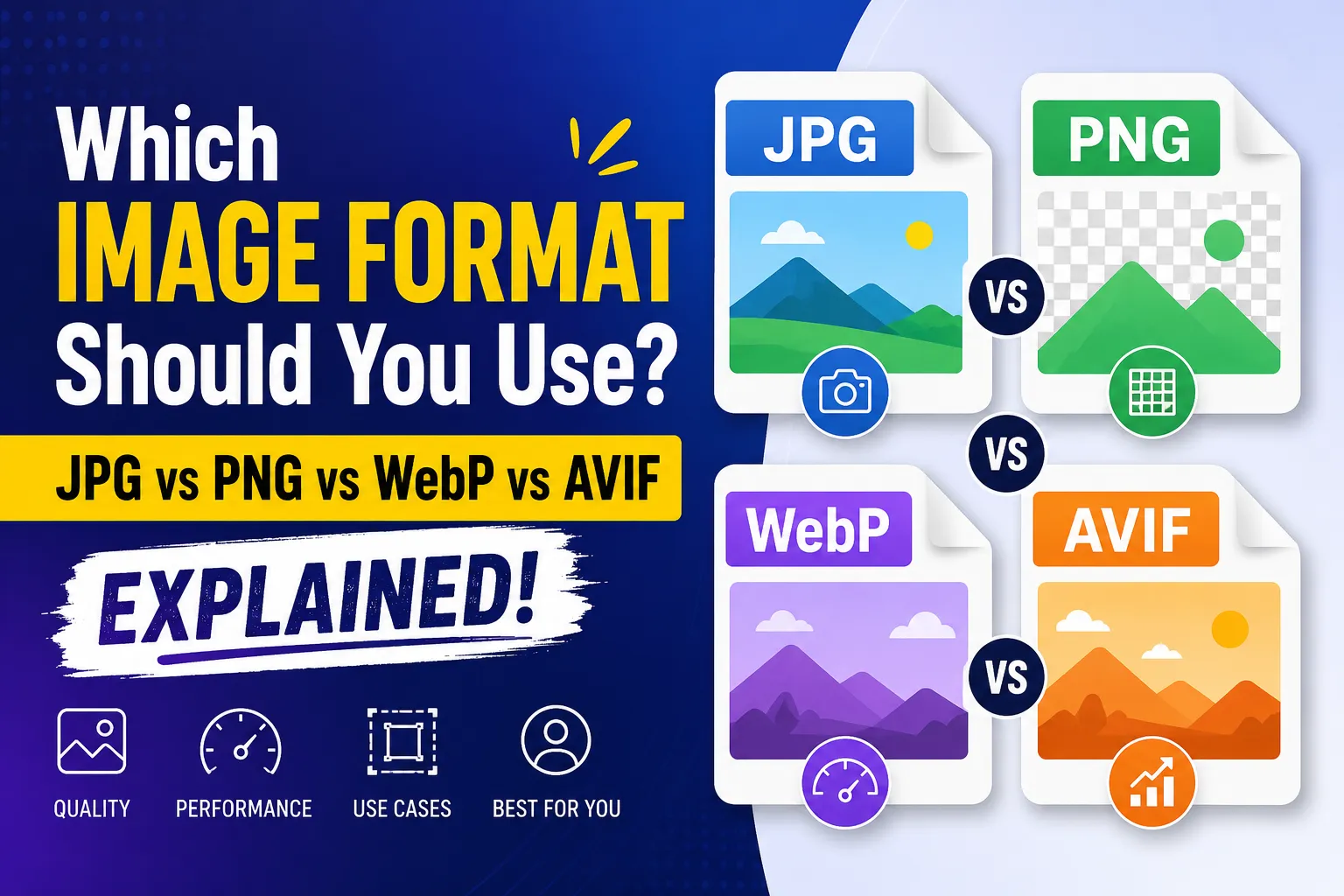
Which Image Format Should You Use? JPG vs PNG vs WebP vs AVIF Explained
JPG vs PNG vs WebP vs AVIF: which image format should you use for your website? A practical guide to file size, compression, transparency, SEO, and page speed.
WCAG Color Contrast Guide for Designers: Pass AA & AAA Standards
Master web accessibility with our complete WCAG color contrast guide. Learn contrast ratios, pass AA/AAA standards, and ensure readable designs.
How to Convert CSV to JSON Online: Free, Instant & Type-Safe Guide
Convert CSV rows and spreadsheets into beautifully formatted JSON arrays in real-time. Zero server uploads, auto type detection.