TARGETROOT
AI ToolsToolsBlog
ToolsImage ToolsImage Compressor
Image Tools

Image Compressor

Compress any image format online for free — JPEG, PNG, WebP, GIF, BMP, TIFF, AVIF, HEIC, SVG, ICO and more. Reduce image file size while preserving visual quality using our browser-based image compression tool. No upload needed — all processing happens locally on your device for complete privacy. Adjust quality with a simple slider, preview before and after results with exact size comparisons, and download optimized images instantly. Supports batch compression with ZIP download and optional EXIF/GPS metadata removal.

#image-compressor#compress-image#image-optimizer#reduce-image-size#photo-compressor
Quick Info
  • Browser-based
  • Instant results
  • Free — No signup
Compress Image

How to use Image Compressor

1

Upload Image

Drag and drop or select any image — JPEG, PNG, WebP, GIF, BMP, TIFF, AVIF, HEIC, SVG, ICO. Supports images up to 100MB.

2

Adjust Settings

Set compression quality (1–100%), choose output format (JPEG, PNG, WebP, AVIF), optionally resize dimensions, and toggle metadata removal.

3

Preview Results

Compare before and after with exact file size, dimensions, and compression ratio. Adjust quality until you find the perfect balance.

4

Download

Download the compressed image individually or as a ZIP batch. Copy to clipboard or share directly.

Drop images here or click to browse

Select one or multiple images

JPEGPNGWebPGIFBMPTIFFAVIFHEICSVGICO

Max 100MB each • No limits on count

Key Features

  • JPG Compressor — compress JPEG photos with adjustable quality from 1–100%
  • PNG Compressor — reduce PNG size while preserving transparency support
  • WebP Compressor — compress WebP images or convert any format to WebP
  • GIF Compressor — optimize animated and static GIF files
  • SVG Compressor — minify SVG code by removing unnecessary attributes
  • HEIC Compressor — compress Apple HEIC photos or convert to JPG
  • AVIF Compressor — compress next-gen AVIF images for maximum compression
  • BMP, TIFF, ICO — support for legacy and specialized formats
  • Adjustable quality slider (1–100%) with real-time preview
  • Batch compression — upload multiple images and compress all at once
  • Output format conversion — JPEG, PNG, WebP, AVIF with auto-select
  • EXIF/GPS metadata removal for privacy before sharing
  • Optional resize with max width/height constraint during compression
  • ZIP download for batch compressed images
  • Before/after comparison with exact file size and compression ratio
  • No data sent to any server — 100% client-side processing
  • Works offline after page load — no internet required

Common Use Cases

  • Government applications and online forms with strict file size limits
  • Passport and visa photo compression to 20KB–100KB
  • School and university admission form uploads
  • Job portal resume and profile photo uploads
  • Website optimization for faster page loads and better SEO
  • E-commerce product image compression for WooCommerce and Shopify
  • Email attachment size reduction for large photo files
  • Social media uploads — Instagram, Facebook, WhatsApp, Twitter, LinkedIn
  • WordPress blog image optimization for faster page speed
  • Photography portfolio compression for client delivery
  • Storage space savings on phones, laptops, and cloud drives
  • Batch processing hundreds of product images for online stores

Technical Details

Input Formats: JPEG, PNG, WebP, GIF, BMP, TIFF, AVIF, HEIC, SVG, ICO + more
Output Formats: JPEG, PNG, WebP, AVIF or Auto-select
Quality Range: 1% – 100% (adjustable slider)
Max File Size: 100MB per image
Batch Mode: Yes, with ZIP download
Resize Option: Max width/height constraint
Metadata Removal: EXIF/GPS data stripping
Processing: 100% client-side (Canvas API)
Privacy: No data leaves your device — zero server uploads
Browser Support: Chrome, Firefox, Safari, Edge (all modern browsers)

Lossy vs Lossless Image Compression

Understanding the two main types of image compression helps you choose the right approach for your needs.

FeatureLossy CompressionLossless Compression
How it worksPermanently removes some image dataCompresses data without removing any information
File size reduction60–90% (very aggressive)20–40% (moderate)
Quality impactSome quality loss at extreme settingsNo visible quality change
Best forWeb images, social media, emailPrint, medical imaging, archival
FormatsJPEG, WebP, AVIFPNG, WebP, SVG, GIF
ReversibleNo — original data is lostYes — full quality restoration possible
Recommended quality70–85% for web, 85–95% for printLossless mode preserves all data

Choosing the Right Image Format

Each image format has different strengths. Choose the right one based on your use case.

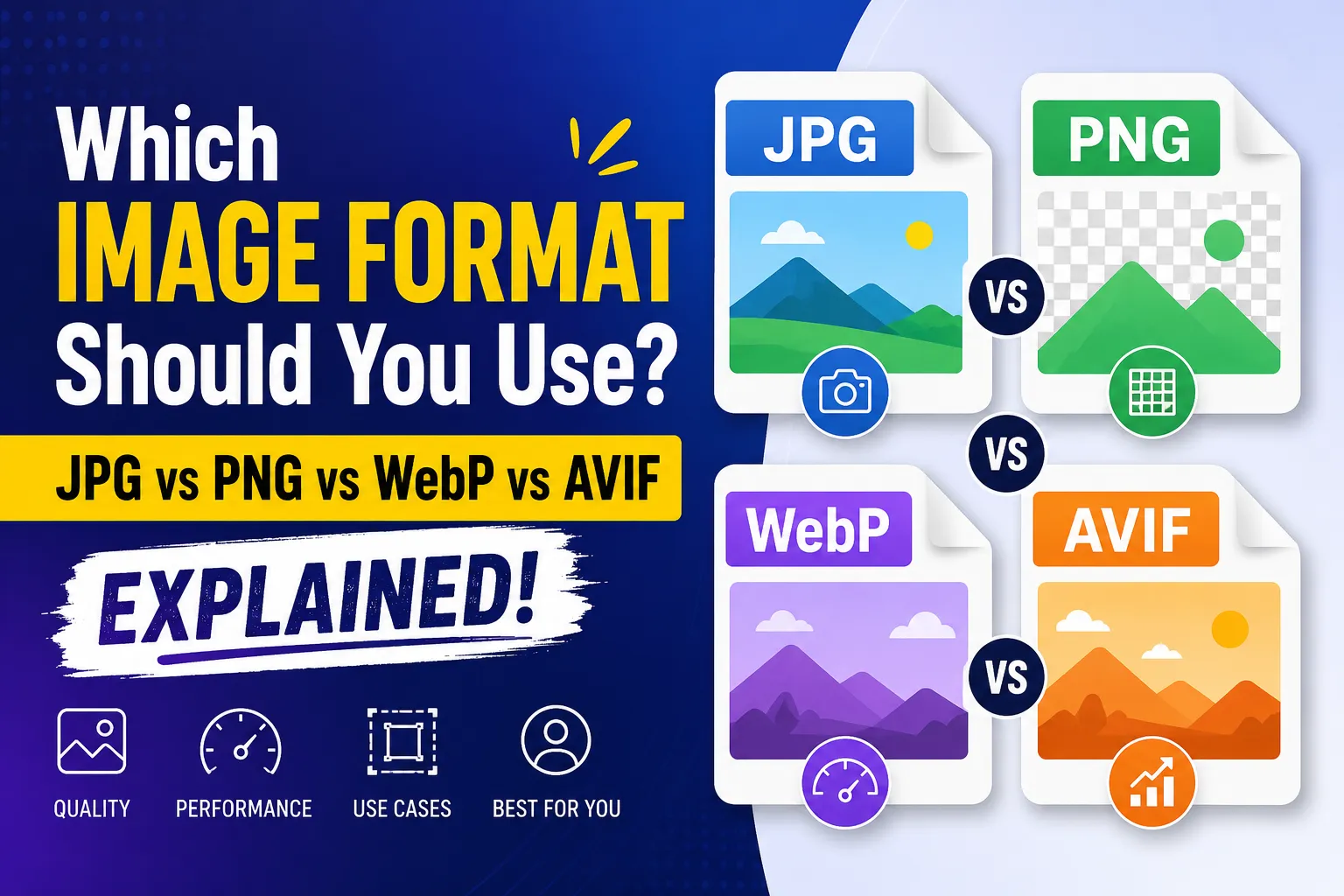
JPEG / JPG — Best for Photographs

JPEG is the most widely used format for photos and complex images with gradients. It offers excellent compression with adjustable quality. Use 70–85% quality for web and 85–95% for print. Ideal for: websites, social media, email attachments, e-commerce.

PNG — Best for Transparency & Graphics

PNG supports lossless compression and transparency (alpha channel). Use for logos, icons, screenshots, and graphics with sharp edges. Larger file sizes than JPEG. Ideal for: web graphics, logos, UI elements, images requiring transparency.

WebP — Best for Modern Web

WebP offers both lossy and lossless compression with 25–35% smaller files than JPEG/PNG. Supported by all modern browsers. Ideal for: website images, progressive web apps, CDN delivery.

AVIF — Best for Maximum Compression

AVIF is the newest format with the best compression ratios — up to 50% smaller than JPEG at equivalent quality. Growing browser support. Ideal for: next-gen websites, bandwidth-constrained environments.

GIF — Best for Short Animations

GIF supports animation and limited colors (256). Use for simple animations and memes. For static images, convert to PNG or WebP for better quality and smaller size.

SVG — Best for Vector Graphics

SVG is a vector format — infinitely scalable without quality loss. Ideal for logos, icons, illustrations, and charts. Compress by minifying the SVG code (removing comments, whitespace, metadata).

HEIC — Best for Apple Devices

HEIC is Apple's default photo format on iOS. Offers better compression than JPEG. Convert to JPG or WebP for universal compatibility before sharing or uploading.

BMP / TIFF — Uncompressed Formats

BMP and TIFF are uncompressed or minimally compressed formats with very large file sizes. Compress and convert to JPEG or WebP for web use. Keep TIFF for professional printing and archival.

Compression Levels Explained

Choose the right compression level based on your priority — quality, file size, or balance.

Light Compression (80–100% quality)

Minimal file size reduction (10–30%) with virtually no visible quality loss. Best for: professional photography, print-ready images, medical/scientific imaging, and situations where quality is paramount.

Balanced Compression (60–80% quality)

Good file size reduction (40–70%) with acceptable quality for most use cases. Best for: website images, blog posts, social media, email attachments, and general-purpose use. This is the sweet spot for most users.

Maximum Compression (1–50% quality)

Aggressive file size reduction (70–95%) with noticeable quality loss. Best for: government forms with strict size limits (20KB–50KB), thumbnail previews, temporary uploads, and situations where file size is the only priority.

Image Compression Tips

Follow these tips to get the best results when compressing images.

  • Resize oversized images before compression — a 6000x4000 photo rarely needs that resolution for web use
  • Use WebP format for web images — it offers 25–35% smaller files than JPEG at the same quality
  • Use JPEG for photographs and complex images with gradients
  • Use PNG only when you need transparency or for graphics with sharp edges
  • Set quality to 70–85% for website images — this is the optimal balance of quality and size
  • Use 85–95% quality for print materials where every detail matters
  • Remove EXIF/GPS metadata before sharing photos publicly for privacy
  • Batch compress product images for e-commerce to save hours of manual work
  • Always preview the compressed result before downloading to check quality
  • Use the auto-select output format to let the tool choose the best format

File Size Targets — Who Needs What

Different platforms and forms have specific file size requirements. Here is a quick reference.

Target SizeCommon Use CasesRecommended Settings
10–20KBGovernment form thumbnails, avatar iconsQuality 10–25%, resize to 200x200px
20–50KBPassport photos, visa forms, exam applicationsQuality 25–40%, resize to 300x400px
50–100KBOnline form uploads, profile pictures, document scansQuality 40–60%, resize to 500x500px
100–200KBBlog images, social media posts, email photosQuality 60–75%, WebP format recommended
200–500KBWebsite hero images, product photos, presentation slidesQuality 75–85%, JPEG or WebP format
500KB–1MBHigh-quality website images, portfolio piecesQuality 85–92%, original or slightly reduced dimensions

Image Compression by Industry

How different industries benefit from image compression.

Government & Public Services

Most government portals (tax filing, passport applications, voter registration) require images under 50KB–200KB. Our compressor lets you hit exact size targets while keeping the image recognizable.

E-commerce & Retail

Product images directly impact page load speed and conversions. Compress product photos to 100–300KB for fast loading without losing the detail customers need to make purchase decisions.

Photography & Creative

Photographers compress images for client previews, portfolio websites, and social media. Use light compression (85–95%) to maintain professional quality while reducing delivery sizes.

Education & Admissions

School and university portals often cap uploads at 50KB–100KB. Compress certificates, photos, and documents to meet these limits without re-taking photos.

Healthcare

Patient portals and insurance claims require document uploads within size limits. Compress scanned medical records, prescriptions, and ID proofs for instant uploads.

Social Media & Marketing

Social platforms compress your images anyway — upload optimized versions to control the quality. Compress for Instagram, Facebook, WhatsApp, Twitter, and LinkedIn.

Web Development & WordPress

Page speed directly impacts SEO rankings and user experience. Compress all website images to under 200KB for optimal Core Web Vitals scores.

Real Estate

Property listings require multiple high-quality images. Compress to 200–500KB for fast-loading listings that still showcase properties in detail.

Related Tools

View All
image

Image Enhancer

Enhance images with AI upscaling, sharpen, denoise, face enhancement, brightness, contrast, and saturation — all in your browser. Free and private.

Free Tool
TARGETROOT

Free online web tools and AI tools directory. Client-side processing, no sign-up required. Your data stays private.

Platform

  • Tools
  • AI Tools
  • Blog

Company

  • About
  • Contact

Legal

  • Privacy Policy
  • Terms of Service

Quick Access

  • JSON Formatter
  • Image Compressor
  • JSON to XLSX
  • QR Code Generator

© 2026 TARGETROOT. All rights reserved.

Built for privacy-first web tools